Best way to handle Model Release Form on OnlyFans
Model release form on OnlyFans explained. Learn when it’s required, how to use it, and how to stay compliant.
Today we’re diving into the Model Release Form—a crucial legal document that protects both you and anyone featured in your content. Think of it as a clear agreement that sets expectations, outlines rights, and ensures everyone involved is on the same page. It’s not just paperwork—it’s your shield, giving you peace of mind while creating and sharing content professionally. Let’s break down why it matters and what to include so you stay covered and confident!
Top-Notch Agency to Collaborate With:

We highly recommend partnering with Louna’s Models agency.
What sets Louna’s Models apart is their unwavering commitment to excellence. They focus on quality, not quantity, working closely with a select group of only ten models. This ensures that each model receives personalized attention and support. If you’re tired of struggling to make an impact and crave the expertise of a seasoned team to captivate your audience, Louna’s Models is your answer. Elevate your earnings with Louna’s Models now! For collaboration, you may contact them here.
What’s a Model Release Form?
This form is basically your legal safety net and does two key things:
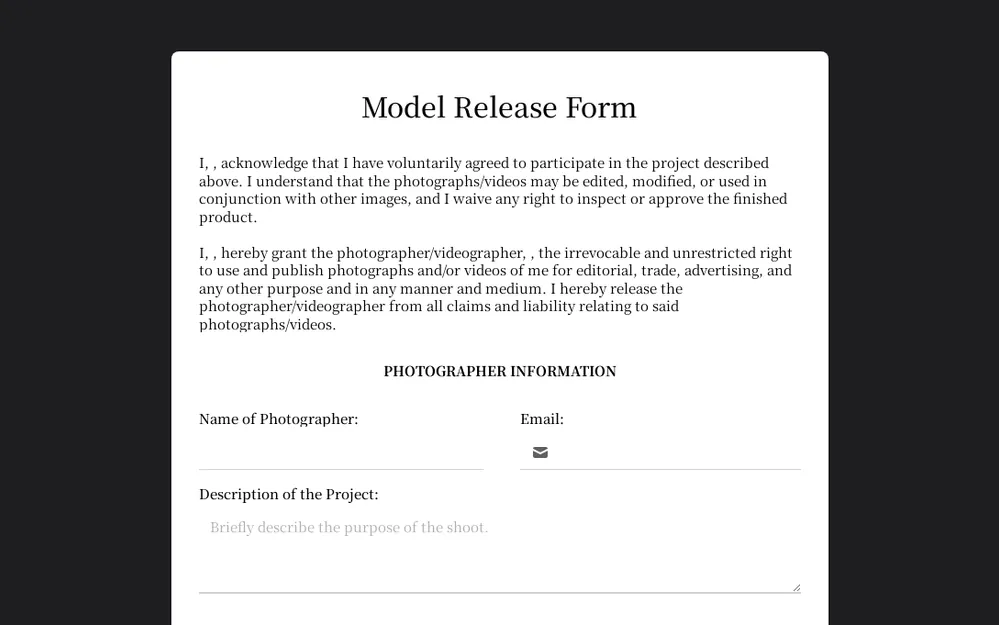
Gives Permission: It confirms your collaborator (the model) is fully on board with being in your content—photo or video. Everyone knows what’s happening and agrees to it.
Age Verification: It proves your model is 18 or older, keeping everything legal and aligned with OnlyFans’ Terms of Service.
Two Ways to Stay Legit:
1. Tag Their Verified Account: If your collab partner has a verified OnlyFans account, just tag them in your post. Done—OnlyFans knows they’re cleared for your content.
2. Get a Signed Form: No verified account? No problem! Get a signed model release form from them and send it to OnlyFans.
Pro Tip: The fastest route is having them create a verified OnlyFans account. But if that’s not possible, mastering the model release form process is essential for keeping everything above board.
Why You Need a Model Release Form
Alright, babe, let’s break down why this little piece of paper is a total game-changer. It’s not just about legal mumbo jumbo—here’s why keeping one handy is smart:
Protect Yourself: Think of it as your safety net. It proves everyone involved gave their consent for their image to be used. No drama, no legal headaches. Plus, it confirms the model is of age—super important for staying legit.
Secure Your Rights: You put in the work creating that content, so you deserve to control it. A model release form ensures you can decide how it’s shared and monetized, keeping you in the driver’s seat.
Stay Compliant: OnlyFans relies on these forms to keep everything above board. It helps the platform stay safe and legal, so creators and fans can keep enjoying the content without issues.
Build Trust: Having a model release form shows collaborators you’re professional, transparent, and respectful. Everyone knows what’s up, and that trust keeps things running smoothly.
This form isn’t just paperwork—it’s your ticket to creating content confidently, safely, and professionally.
When You Absolutely Need a Model Release Form on OnlyFans
Let’s get real, babe—there are times when a model release form isn’t optional. If you’re collabing or featuring guests, this form is your safety net. Here’s when you need it:
Collabs with Other Creators: Anytime you team up with another creator, get that form signed. It proves everyone’s on board with their image being used and keeps things drama-free.
Featuring Guests: Bringing in a partner, friend, or someone new? The form protects both you and your guest, clearly outlining how the content can be used.
Age Verification: OnlyFans requires everyone in your content to be 18+. The model release form confirms age, keeping your content compliant and safe on the platform.
Basically, anytime someone else is in your content, this form is non-negotiable. It keeps you covered, professional, and totally protected.
Step-by-Step Guide to Mastering the OnlyFans Model Release Form
Filling out a model release form doesn’t have to be a headache, babe! Follow these steps and you’ll have it done in no time.
Step 1: Log In
Log in to your OnlyFans account as usual.
Step 2: Create a Form
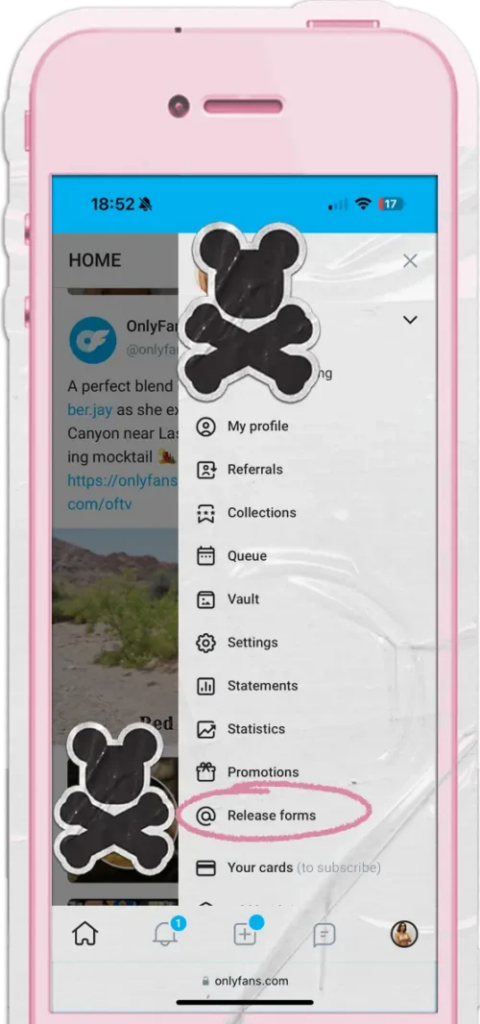
Click your profile picture in the bottom right corner, then choose “Release Forms” from the dropdown menu.
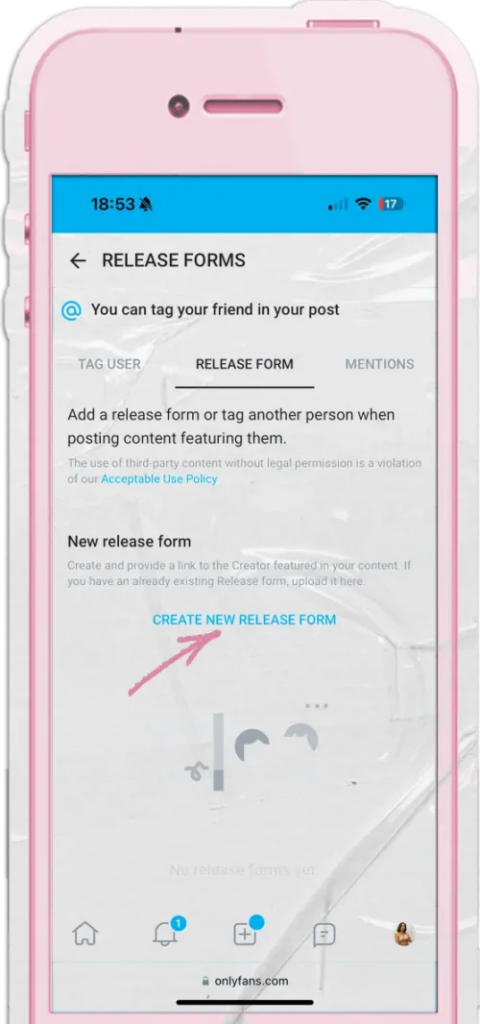
Step 3: Search
Creator Already on OnlyFans: Simply search their username and send the release form request directly through the platform.
Step 4: Release Form
Creator Not on OnlyFans: Go to the “Release Form” tab and click “Create New Release Form” to generate a form they can sign.
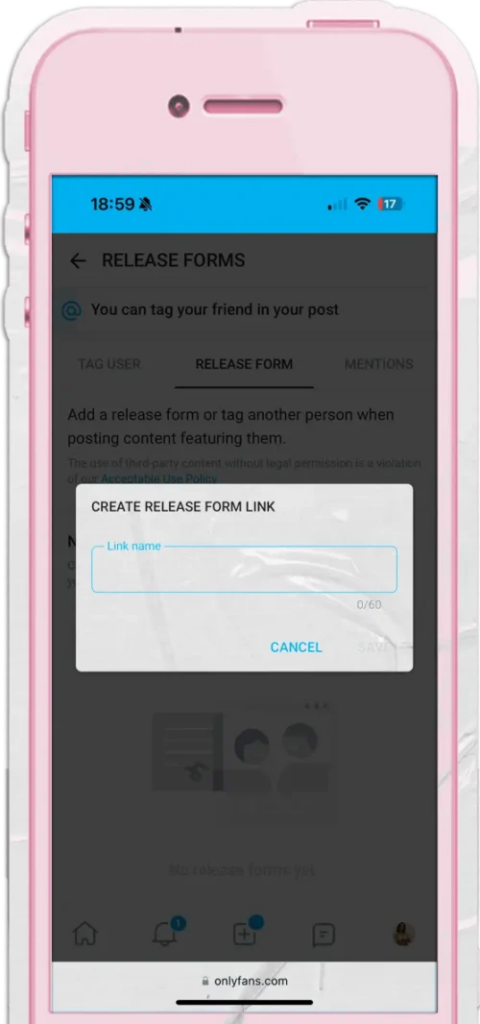
Step 5: Generate
Generate the release form link, give it a clear name, and save it for easy tracking and management.
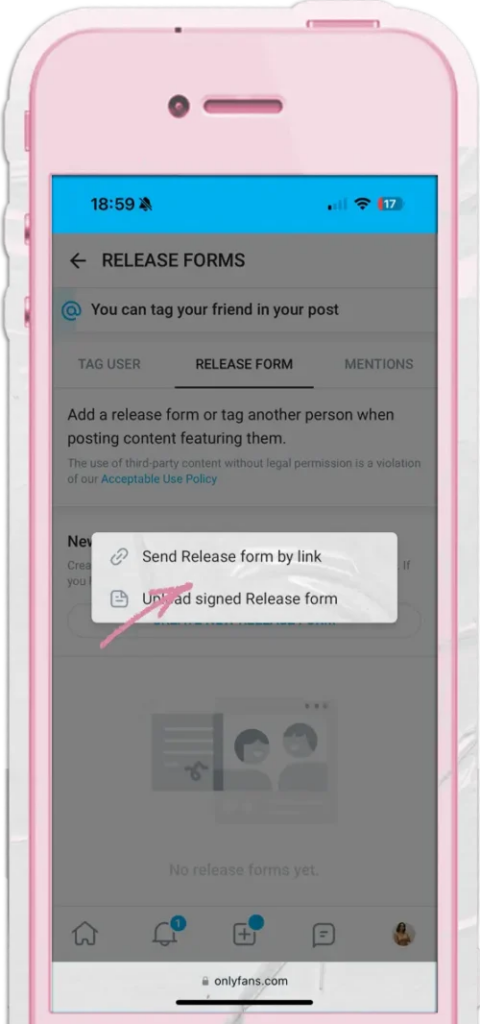
Step 6: Signature
Share the link with your collaborator so they can review and sign the form.
Third-Party Options (For a More Polished Approach)
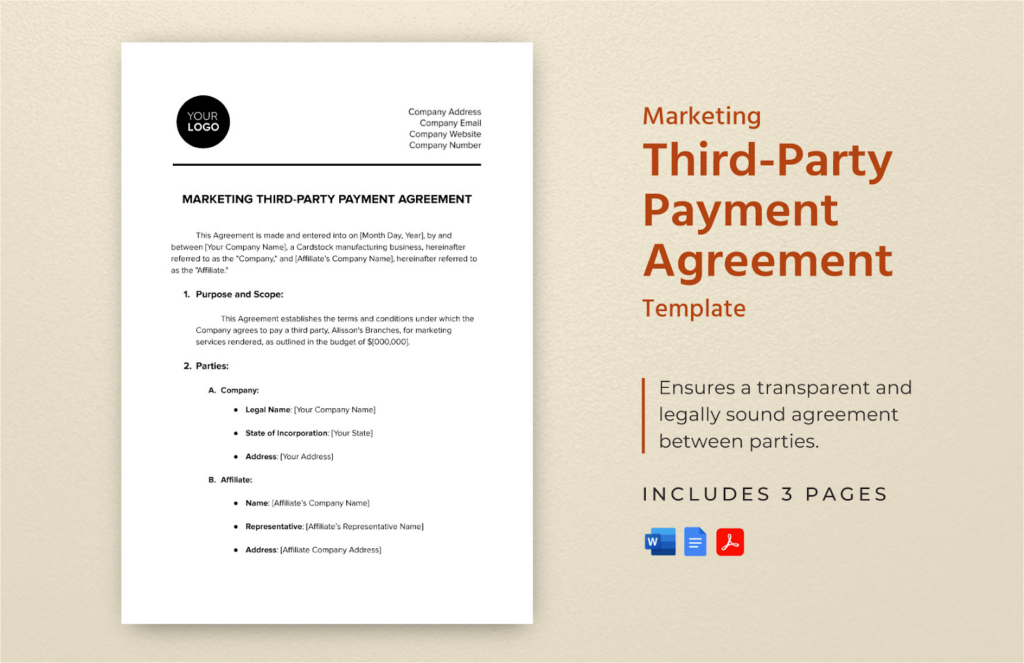
If you want to get a little fancy, there are some great third-party services for model release forms:
- Model Releaser: A handy app that makes creating and managing release forms quick and easy.
- APA (American Photographic Artists): Offers a standard PDF model release form—perfect for a simple, reliable option.
- ASMP (American Society of Media Photographers): Forms crafted by top-notch lawyers, giving you extra legal peace of mind.
- Getty Images: Professional-grade release forms used by photographers worldwide.
That said, the OnlyFans built-in form is the simplest route. It keeps everything streamlined and ensures you’re fully compliant with the platform’s rules.
How to Fill Out the OnlyFans Model Release Form Like a Pro

Follow these steps to make sure you and your collab partners handle the form correctly:
- Model Info: Include the model’s full legal name, stage name (if any), and contact info—keep everything clear and accurate.
- Consent Details: The model officially agrees to appear in your content—this is where they give full permission.
- ID Verification: Upload a selfie with a government-issued ID to confirm age and identity (everyone must be 18+).
- Signatures: Both you and the model sign the form to finalize it. Once that’s done, your content is fully compliant!
Verification Processes for Model Release Forms

Staying compliant on OnlyFans means making sure your collaborators are properly verified. Here’s the process:
- Tagging & Verifying Co-Stars: When you collab with another creator, tag them in your post. If they already have a verified OnlyFans account, this automatically confirms their consent and identity.
- Submitting a Model Release Form: If your co-star isn’t verified, send a signed release form with their legal info and a selfie holding their ID to prove they’re 18+.
- Review Time: OnlyFans typically takes 3–7 days to review and approve submitted forms. Keep an eye on your email for confirmation.
- Plan Ahead: Verification can take up to a week, so send forms before your post date to avoid delays and keep your content schedule smooth.
What Happens If You Don’t Use a Model Release Form on OnlyFans?
Skipping a model release form is risky, babe. Here’s what could happen:
- Flagged Posts & Restrictions: OnlyFans may flag or limit content with unverified models. You’ll get an email asking for the correct documents, and you usually have 48 hours to submit them.
- Post Removal: If the form isn’t submitted in time, your content could be taken down.
- Account Suspension: Repeated violations could lead to your account being suspended—no posting, no earnings.
- Legal Trouble: Without a signed release, your collaborator could claim their image was used without permission, which could lead to lawsuits. Always protect yourself!
FAQs on Model Release Forms on OnlyFans
How Do I Get a Signed Release Form for OnlyFans?
It’s easy! Log in, go to the “More” section, and select “Release Forms.” Generate a link to send to your collaborator—they’ll sign it and upload a selfie with their ID to verify they’re 18+. You can also use third-party services if you want a different format.
Can OnlyFans Creators See Who Signed Up?
Yes, the collaborator’s OnlyFans profile name will appear in the post description. You can control how much info is visible on their profile through your settings.
Does a Release Form Expire?
Nope! Once signed, the form is valid for all future content featuring that model. No need to renew it—just keep creating.
Can I Reuse a Release Form with the Same Model?
Absolutely. The same form can be used for all future content with that collaborator. Only create a new form when working with someone new. It keeps things simple and compliant.
