How to Promote OnlyFans on Tinder: A Future-Proof Strategy
Learn how to promote OnlyFans on Tinder without bans. A future-proof strategy using smart links, funnels, and compliant messaging.
When used strategically, Tinder can be a powerful long-term tool for promoting your OnlyFans. While there are plenty of promotional methods out there, this approach prioritizes sustainability, discretion, and results that actually last.
Instead of chasing quick attention, Tinder lets you build genuine interest through one-on-one conversations. That personal connection is what makes it a reliable channel—one that continues to perform well over time.
Top-Notch Agency to Collaborate With:

We highly recommend partnering with Louna’s Models agency.
What sets Louna’s Models apart is their unwavering commitment to excellence. They focus on quality, not quantity, working closely with a select group of only ten models. This ensures that each model receives personalized attention and support. If you’re tired of struggling to make an impact and crave the expertise of a seasoned team to captivate your audience, Louna’s Models is your answer. Elevate your earnings with Louna’s Models now! For collaboration, you may contact them here.
Quality Over Quantity: The Formula for Long-Term Growth
Success on Tinder isn’t about racking up endless matches—it’s about attracting the right ones. High-quality connections lead to better engagement, stronger trust, and subscribers who are more likely to stick around.
A smaller audience that’s genuinely interested will always outperform a large pool of low-intent matches. When used intentionally, Tinder becomes less about volume and more about value—and that’s where the real growth happens.
Why Tinder Fans Are Different (and Better)
Here’s the advantage: people on Tinder are already looking for connection, excitement, and something personal. That mindset makes them an ideal audience for your OnlyFans. They’re not just casually scrolling—they’re curious, engaged, and open to building a connection, which means they arrive far more qualified than traffic from most other platforms.
Think of it this way: you’re not starting from zero. You’re matching with someone who’s already interested.
The Numbers Speak for Themselves
A handful of subscribers from Tinder can easily outperform dozens from other platforms. Four or five high-quality fans often generate more revenue than fifty low-intent followers elsewhere. That’s why nurturing these connections matters. Treat them well, stay engaged, and make them feel valued.
When you focus on quality and connection, turning matches into paying subscribers becomes not just possible—but predictable.
Why Tinder Is the Perfect Starting Point for New Onlyfans Creators
If you’re brand new to promoting your OnlyFans, Tinder is an ideal place to start. When used correctly, it delivers results quickly—often much faster than traditional social platforms. There’s no need to spend weeks building a following or posting daily just to gain visibility. Tinder works proactively, consistently introducing you to new potential fans with far less effort.
For new creators, that kind of momentum is a game changer.
Stay Low-Key: Privacy Without the Stress
One of Tinder’s biggest advantages is discretion. If you prefer to stay anonymous or avoid visibility in your local area, Tinder makes that easy. You can connect with people globally while keeping your hometown completely out of the picture—giving you full control over who sees your profile.
Think of it as a promotion with a privacy filter.
A Small Investment With Big Returns
The cost to get started is minimal—around $8.99 for a month. With the right strategy, it’s entirely possible to earn that back quickly and then some. Compared to most marketing methods, this approach is low-risk, budget-friendly, and surprisingly effective for growing your OnlyFans without a major upfront investment.
Step-by-Step Guide to Using Tinder for OnlyFans Promotion
Now that we’ve covered why Tinder works so well, let’s get into how to use it to promote your OnlyFans—step by step. Don’t worry, the process is straightforward and easy to follow.
Step 1: Download the Tinder App
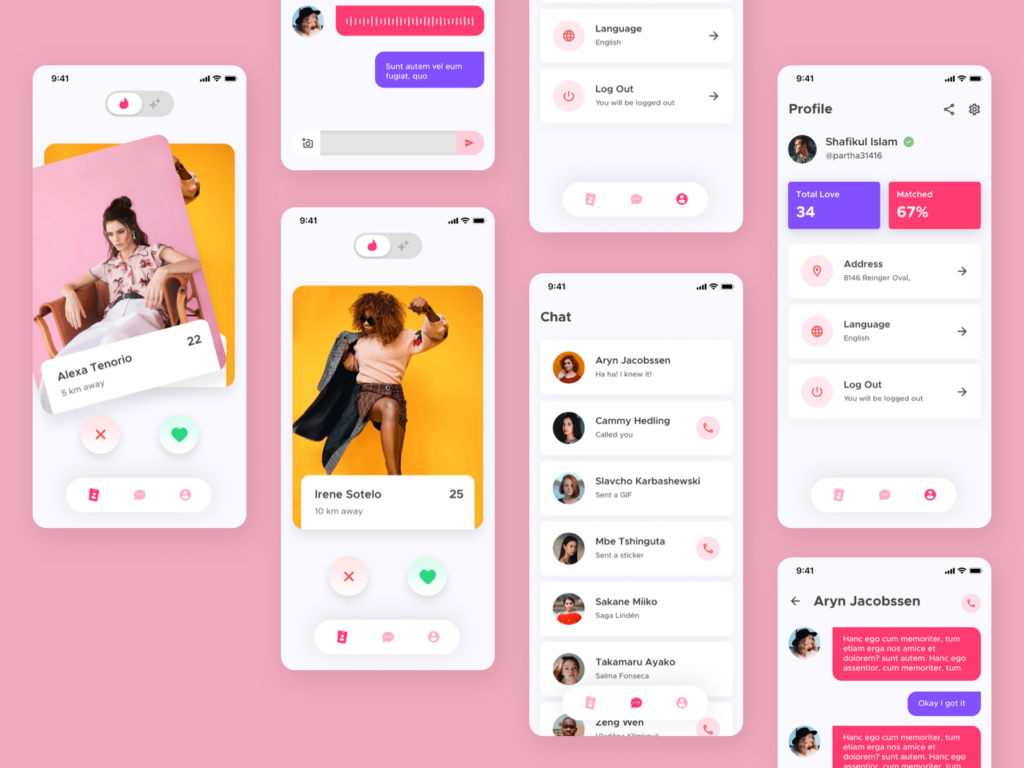
Start by downloading the Tinder app from the App Store or Google Play. This will be your main tool for connecting with potential fans, so make sure you’re set up and ready to go before moving on to the next steps.
Step 2: Register Your Account
Sign up using whichever option you prefer—phone number, Apple ID, or another available method. There’s no need to overthink privacy here. Tinder is a well-established platform with solid security measures in place.
Step 3: Set Up Your Profile—Strategically
Consistency matters. Use the same name on Tinder that you use on your OnlyFans (and ideally not your real name). This keeps your branding aligned and makes it easier for interested matches to recognize and find you across platforms.
Step 4: Complete Your Profile Fully
Fill out every section of your profile carefully. Make sure your age matches your OnlyFans account, and double-check details like your zodiac sign. Tinder uses internal checks, and inconsistencies—especially around date of birth—can trigger flags or account issues.
Step 5: Upload Your Best Photos (Keep It Classy)
Choose 5–6 high-quality photos that show off your personality. Natural selfies work best—clear, well-lit, and authentic. Avoid explicit or nude images. Think of your Tinder profile as a teaser: flirty, approachable, and intriguing, without giving everything away.
Step 6: Write a Killer Bio (Without Mentioning OnlyFans)
Now it’s time to craft a bio that’s fun, flirty, and swipe-worthy—but with one important rule: don’t mention OnlyFans, Instagram, or any other links. Keep it light, relatable, and natural, like you’re introducing yourself to someone new. The goal is curiosity, not a hard sell.
Need inspiration? Here are a few examples:
- Coffee lover ☕ | Always down for an adventure 🌍 | Let’s see where this goes
- Laughs at her own jokes, eats too much pizza 🍕 | Good vibes only
- Dog mom 🐶 | Professional napper 😴 | Here for good conversations
- Sunshine, new experiences, and positive energy 🌞
- Fluent in sarcasm and bad puns 🙃 | Let’s stir things up
Keep it cute, casual, and clean—just enough personality to make someone want to swipe right.
Step 7: Turn On Notifications
When Tinder asks to enable notifications, say yes. You’ll want to catch matches and messages as they come in so you can stay responsive.
Step 8: Swipe Briefly, Then Log Off
Once your profile is live, swipe on about 10–12 profiles and then close the app. No marathon swiping—less is more here.
Step 9: Let the Algorithm Work
Leave your account alone for 24–48 hours. This gives Tinder’s algorithm time to push your profile to more users and increase visibility.
Step 10: Upgrade to Tinder Plus
After the waiting period, reopen the app and head to the subscription section. Sign up for Tinder Plus (around $8.99 for one month). This unlocks key features like unlimited swipes and location changes—both essential for reaching more high-quality, international matches.
Step 11: Use Tinder Passport to Pick the Right Location
Now that Tinder Plus is active, it’s time to get strategic with Passport. This feature lets you place your location anywhere in the world—so choose intentionally. Two factors matter most here: disposable income and competition.
You want to target areas where people can comfortably spend money, without diving into overly saturated markets. While countries like the U.S., UK, and Australia can work, major hotspots (think Miami) tend to be crowded.
Instead, consider smaller European resort cities, such as:
- Nice, France
- Marbella, Spain
- Mykonos, Greece
- Portofino, Italy
- Split, Croatia
These destinations are often overlooked, attract affluent visitors, and come with far less competition. If you do target places like the UK or Australia, opt for smaller cities rather than major metros.
Step 12: Swipe With Intention
Once your location is set, swipe normally—but be selective. This isn’t about matching with everyone.
Don’t automatically skip older or middle-aged users; they often have more disposable income. And remember, wealth doesn’t always look flashy—keep an open mind and don’t judge profiles too quickly.
Step 13: Pace Yourself
Consistency beats intensity. Start with around 15–20 swipes per day, then slowly increase over time. This helps keep your account healthy and avoids triggering Tinder’s spam detection. Think long-term growth, not instant results.
Step 14: Turning Matches Into Fans—Subtly
Once you start matching, remember: they don’t know about your OnlyFans yet. Tinder is strict about promotion, so subtlety is everything. Your goal is to build rapport and eventually move the conversation to platforms like Instagram or Snapchat—where conversion happens naturally.
Step 15: Keep Conversations Casual
Start with light, normal conversation. Ask about their day, interests, or something from their profile. Avoid sounding transactional or sales-focused. If language is a barrier, tools like DeepL or ChatGPT can help keep things flowing smoothly.
Step 16: Handle Meet-Up Requests Gracefully
If someone asks to meet in person, gently redirect without killing the vibe. A few examples:
- “That’s sweet, but I’m keeping things online for now.”
- “Not looking to meet just yet—happy chatting though!”
- “I’m more into connecting digitally at the moment.”
Polite, friendly, and firm is the sweet spot.
Step 17: Manage Your Inbox Like a Pro
Day one: keep things light and casual.
Day two: message first—reference something you talked about or ask a simple question.
The goal is comfort and familiarity, not rushing the process.
Step 18: Casually Suggest Instagram
Once there’s a natural flow, gently suggest moving to Instagram:
- “Do you use Insta? It’s easier to chat there.”
- “I post more fun stuff on my Instagram—want to connect there?”
When it feels natural, Tinder won’t flag it—and most people won’t hesitate.
Step 19: Why Rapport Equals Revenue
By the time someone follows you on Instagram and sees your OnlyFans link, they already feel connected. That’s the difference. Even a handful of strong connections can outperform dozens of cold leads elsewhere.
Quality always wins.
Step 20: Reply Quickly, Keep It Natural
Fast responses and genuine conversation build trust. Let Tinder feel like the “getting to know you” phase—then let Instagram or Snapchat do the rest.
Step 21: Choose Your Story Carefully
You have three positioning options:
- Be honest: You’re using Passport to meet new people. Simple and effective.
- Planning a trip: Creates curiosity and anticipation.
- Living there: Higher risk, higher reward—use cautiously.
The idea of a possible real-life connection often increases emotional investment and spending—but only if handled carefully.
Protect Your Account: Avoid Getting Banned
Tinder doesn’t tolerate obvious promotion. To stay safe:
- Don’t over-swipe
- Avoid direct mentions of OnlyFans
- Keep conversations natural and human
Subtlety is your protection.
Boost Conversions With Instagram Close Friends
Once matches move to Instagram, add them to your Close Friends list. This creates exclusivity and deeper engagement.
Use it to:
- Share teaser-style stories
- Run polls or Q&As
- Build personal interaction without hard selling
Scaling the Strategy: Try Other Apps
Once you’re comfortable, you can apply the same strategy on apps like Bumble. The structure is similar, the learning curve is low, and the same rules apply: quality connections, subtle moves, real rapport.
Conclusion: Turning Swipes Into Subscribers
Using Tinder—and similar apps—as part of your OnlyFans strategy is a smart, low-risk way to grow consistently. Focus on connection over volume, stay patient, and guide conversations naturally across platforms.
Do it right, and you’re not just getting matches—you’re building loyal, paying fans.
You’ve got this. Stay confident, stay intentional, and keep shining ✨
