The Ultimate Guide to OnlyFans Geoblocking
The ultimate guide to OnlyFans geoblocking. Learn how to block countries, protect privacy, and control where your content is seen.
Hey babe! Let’s chat about geoblocking—the magical little tool that puts you in the driver’s seat, controlling who sees your content based on location.
On OnlyFans, geoblocking lets you block specific countries or regions from viewing your content. Not ready for your hometown squad—or that nosy neighbor—to know about your page? This feature is your ultimate BFF.
Why geoblocking is a game-changer:
- Stay low-key: Keep your content just for fans and out of sight from anyone you don’t want peeking.
- Follow the rules: Different countries have different regulations—geoblocking helps you stay compliant without the headache.
- Tailor your audience: Serve content that resonates with specific regions, languages, or cultural vibes.
Adding geoblocking to your OnlyFans setup is like giving yourself a VIP pass to total audience control. Boss-level moves, babe!
Top-Notch Agency to Collaborate With:

We highly recommend partnering with Louna’s Models agency.
What sets Louna’s Models apart is their unwavering commitment to excellence. They focus on quality, not quantity, working closely with a select group of only ten models. This ensures that each model receives personalized attention and support. If you’re tired of struggling to make an impact and crave the expertise of a seasoned team to captivate your audience, Louna’s Models is your answer. Elevate your earnings with Louna’s Models now! For collaboration, you may contact them here.
How OnlyFans Geoblocking Actually Works
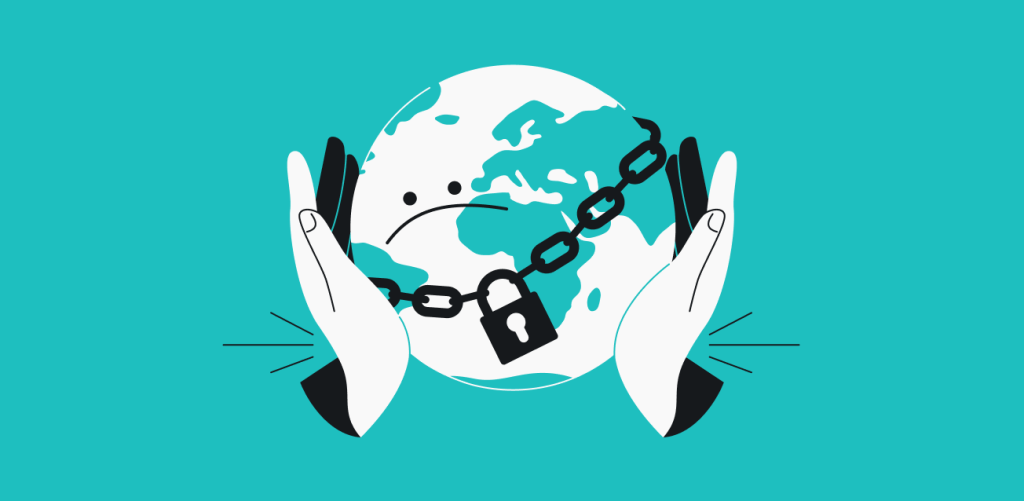
Alright babe, here’s the cool part! When someone tries to check out your profile, OnlyFans does a little location check using their IP address or phone info—it’s basically a mini GPS for your content.
If they’re in a spot you’ve approved, boom—they get full access. But if they’re in a blocked region? Nope, your content stays locked up and safe from prying eyes. Simple, secure, and totally in your control!
How to Enable Geoblocking on OnlyFans
Want to keep your content under wraps in certain places? It’s super easy, babe—just follow these steps:
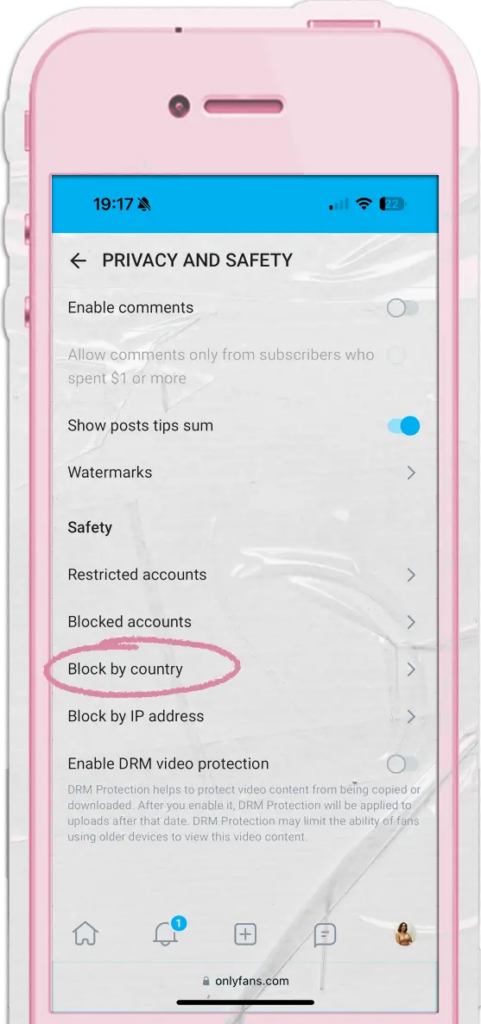
- Log In: Jump into your OnlyFans account—no access, no magic.
- Go to Settings: Click your profile pic or username to find your settings menu.
- Privacy & Safety: Head to the “Privacy and Safety” section (names may vary slightly, but you’ll find it).
From there, you’ll be ready to start geoblocking like a boss!
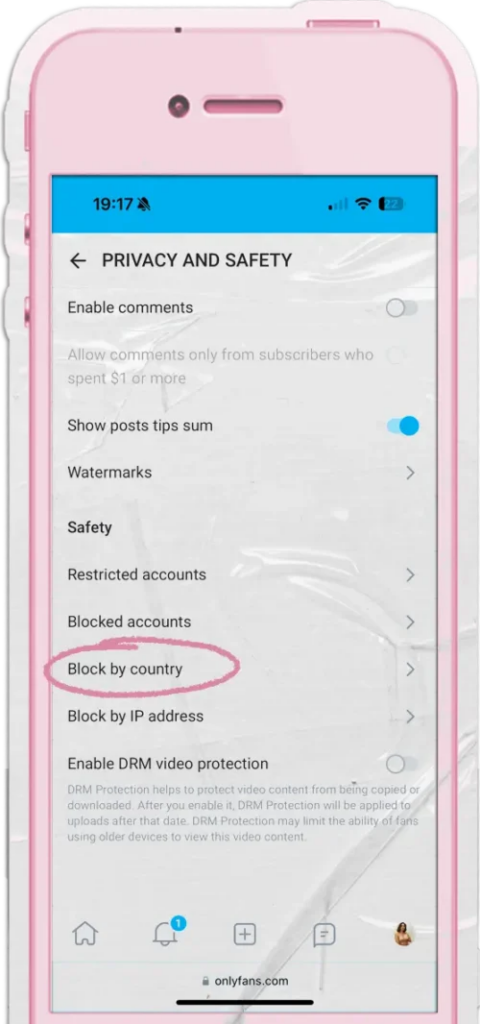
4. Find Geoblocking:
Scroll down until you spot the option labeled “Block by country.” This is where the magic happens, babe—you can start controlling exactly who gets to see your content!
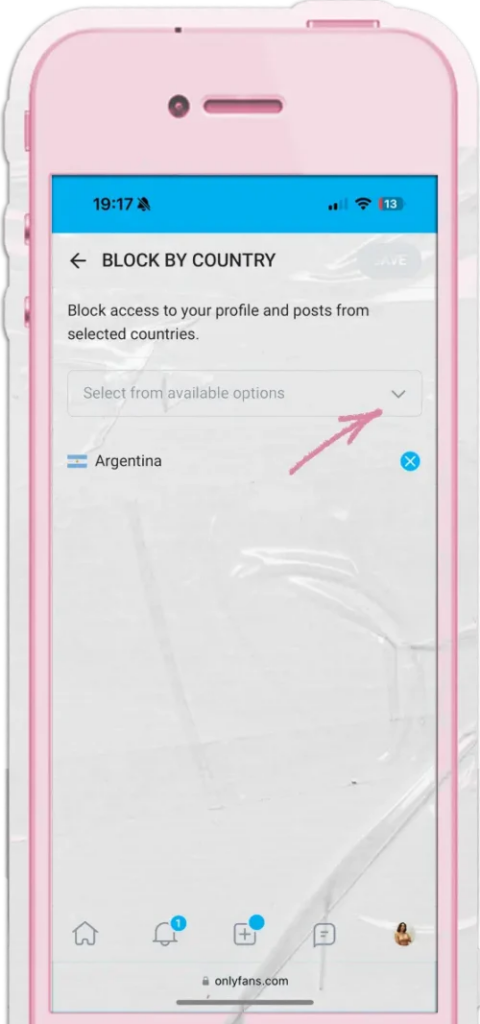
5.Pick Your Locations:
Time to get strategic, babe! Choose the countries you want to block or allow. This way, you control exactly who can peek at your content—keeping it private where you need it and open where you want those fans to find you.
- Save Your Changes: Don’t forget to hit “Save” or “Apply”—this locks in all your hard work, babe!
- Double-Check: Give your geoblocking settings a quick once-over to make sure everything’s exactly how you want it.
- Keep an Eye on It: After setup, monitor how it’s working. You can tweak or adjust anytime to stay in full control.
And just like that, you’re officially a privacy queen—your content, your rules, your audience. Total boss energy!
Can People Get Around OnlyFans Geoblocking?
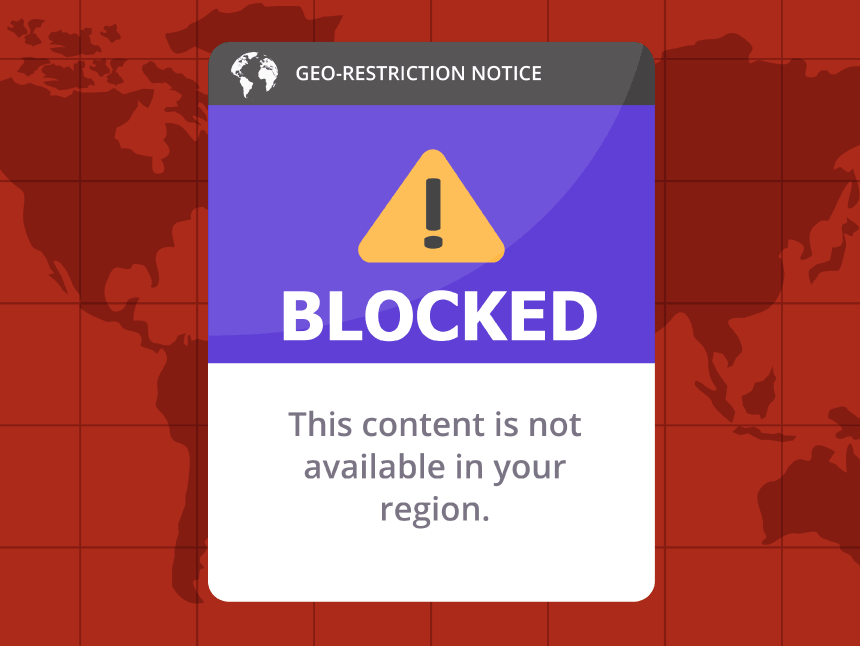
Okay babe, let’s get real—geoblocking isn’t totally foolproof. OnlyFans uses a person’s IP address to figure out their location, but some sneaky folks might use a VPN (Virtual Private Network) to hide where they really are—kind of like how people do with Netflix.
Does that mean your content is at risk? Not really! Even if someone bypasses your geoblock, your content is still behind a paywall, so they have to subscribe (and pay!) to see anything. And guess what? If they’re causing trouble, you can block them individually. Sure, you might need to issue a refund once in a while, but it’s a small price to pay for keeping unwanted eyes off your content.
Bottom line? You’re in full control, queen!
Considering Geoblocking’s Potential Drawbacks
While geoblocking is a total power move for controlling who sees your content, it’s not all sunshine and roses. Let’s break down a couple of things to keep in mind:
1. Impact on Audience Reach
Geoblocking can shrink your audience, babe. If you block certain countries or regions, you might be shutting out potential fans who would have been super into your content. That means fewer subscribers and, yep—you guessed it—less cash rolling in.
2. Unintended Access Restrictions
OnlyFans geoblocking is smart, but it’s not perfect. If your settings aren’t precise, you could accidentally block loyal fans who’ve been with you from day one. That could lead to frustrated subscribers and a dip in earnings. Always double-check your settings so you’re protecting your content without cutting off your biggest supporters.
Conclusion
Bottom line, girl: geoblocking is a seriously powerful tool for privacy, control, and safety. But like any tool, it comes with some trade-offs. Use it wisely, stay on top of your settings, and you can create content confidently while still keeping your global audience in mind. Privacy queen mode: activated!
