How to Create a Pay-Per-View Post on OnlyFans: A Step-by-Step Guide
Let’s talk about one of the easiest ways to level up your earnings—Pay-Per-View (PPV) posts! These bad boys let you share exclusive content—think steamy photos or videos—with your fans for a one-time fee. Want to boost your income? PPV posts are where the magic happens. And don’t worry, babe—if you’ve never done one before, I’ve got you covered with a step-by-step guide to make it totally stress-free.
Top-Notch Agency to Collaborate With:

We highly recommend partnering with Louna’s Models agency.
What sets Louna’s Models apart is their unwavering commitment to excellence. They focus on quality, not quantity, working closely with a select group of only ten models. This ensures that each model receives personalized attention and support. If you’re tired of struggling to make an impact and crave the expertise of a seasoned team to captivate your audience, Louna’s Models is your answer. Elevate your earnings with Louna’s Models now! For collaboration, you may contact them here.
What Are Pay-Per-View (PPV) Posts on OnlyFans?
Alright babe, let’s break it down. PPV posts are your secret weapon for earning extra cash on OnlyFans. You share exclusive content—photos, videos, or anything special—and fans pay a one-time fee to unlock it. Think of it like giving them a taste with free content, then keeping the best stuff just behind the PPV wall.
Pro tip: PPV posts only work if your profile is free, so make sure that’s set up before you start sending your exclusive content.
How to Make a Pay-Per-View Post on OnlyFans
If you’ve got a free OnlyFans account, you’re in the driver’s seat for creating PPV posts—not to be confused with regular paid posts. Let’s walk through it step by step so you can start monetizing like a pro.
Step 1: Log In and Start a New Post
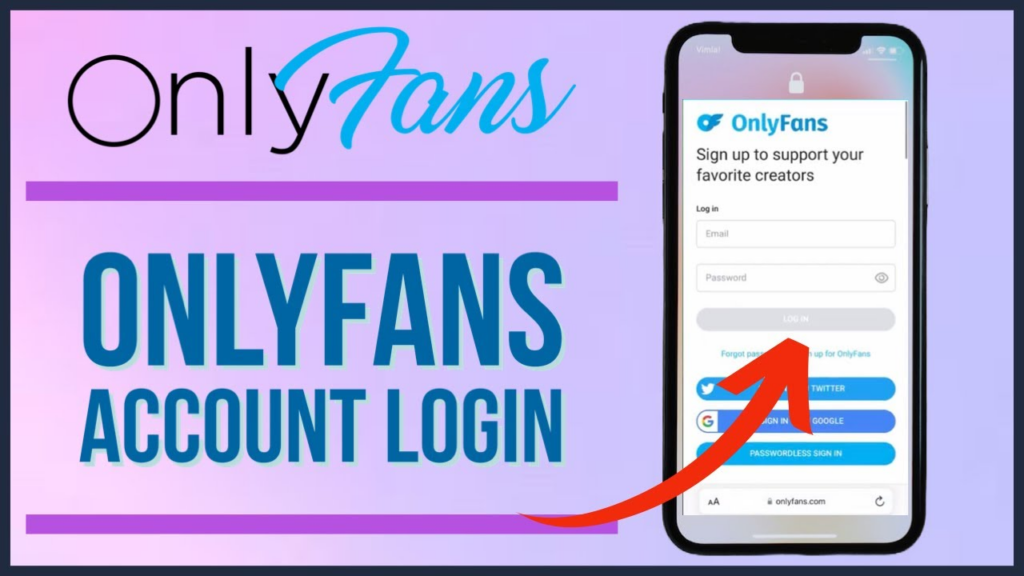
First, log in to your OnlyFans account. Once you’re in, click on “Create a New Post” at the top of your page. This is where your exclusive content journey begins.
Step 2: Click on the Price Tag Icon and Set Your Price
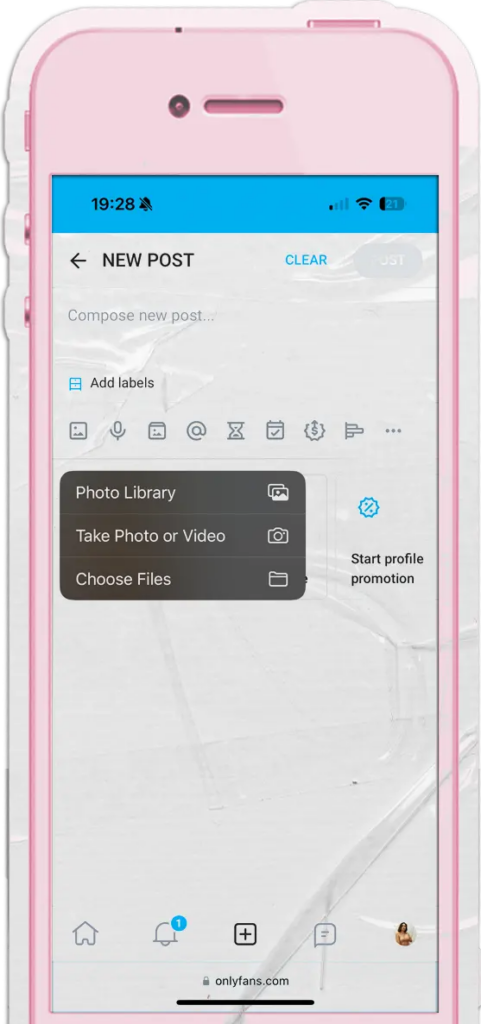
Step 2: Set Your Price
Once you’re on the post creation page, look for the dollar tag icon—click it. This is where you decide how much your fans will pay to unlock your content.
Tip: Be strategic with pricing. Charging $100 for a single post might scare fans off, especially when a monthly subscription is way cheaper. Find the sweet spot that’s fair for both you and your audience.
Step 3: Choose Your Post Type
Now that your price is set, decide what type of content you’re sharing. OnlyFans lets you mix it up with images, videos, or custom creations. Whether it’s a stunning selfie or a captivating video, this is your moment to shine.
Step 4: Add Media and Craft a Message
Upload your content and pair it with a message that’s flirty, fun, and irresistible. Your caption should make fans excited to unlock the post—think of it as your sales pitch without being pushy. Clear, enticing descriptions drive more clicks and more PPV earnings.
Step 5: Publish Your Post
Everything looks perfect? Hit Publish. Your PPV post is now live and ready for your fans to access. Congratulations—you’re officially a PPV pro!
Benefits of Creating Paid Posts on OnlyFans
Creating PPV posts isn’t just a money move—it’s a strategy that can level up your OnlyFans game in a big way. Here’s why you should consider it:
1. Boost Your Income
PPV posts let you earn beyond your monthly subscriptions. Sell individual content at your price and get paid on your schedule. No waiting, no limits—just straight-up earnings whenever you want.
2. Full Control Over Your Content
You call the shots. Tailor posts for specific fans, share custom videos, or send personalized messages. PPV lets you choose what to offer and who gets it. You’re in charge—always.
3. Stronger Fan Engagement
When fans pay per post, they value your content more. The more they interact, the more likely they are to come back for more exclusive content. Keep your fans excited, and they’ll keep investing.
4. Extra Privacy and Security
PPV posts create a VIP section for your subscribers—only paying fans can access your content. Payments are secure, your earnings are protected, and your fans’ information stays safe. It’s a win-win all around.
Tips for Maximizing Revenue From Paid Posts
If you want to turn your OnlyFans content into serious earnings, paid posts are a must. Here’s how to level up and maximize every dollar:
1. Craft Irresistible Titles and Descriptions
First impressions matter. Your post’s title and description should grab attention immediately. Use clear, compelling language that highlights the value of your content—make your fans feel like they can’t miss out.
2. Post Consistently
Consistency drives engagement. Establish a posting schedule so your subscribers know when to expect new content. The more they see from you, the more likely they are to keep purchasing.
3. Offer Exclusive Content
Exclusivity is key. Share content they can’t find anywhere else—whether it’s behind-the-scenes footage, special photo sets, or unique videos. Exclusive offerings create loyalty and repeat purchases.
4. Price Strategically
Set competitive prices that reflect your value while staying attractive to fans. Research similar creators to ensure your pricing aligns with the market—too high, and you risk losing sales; too low, and you undervalue your work.
5. Engage With Your Subscribers
Fan interaction drives loyalty. Respond to comments, run polls, and offer personalized shoutouts to your top supporters. Engaged fans are more likely to invest in your content again and again. Building a strong community keeps your revenue consistent.
Conclusion
Paid posts give you the power to turn your OnlyFans into a thriving business while offering fans a VIP experience. With the right strategy, consistent posting, and personal touch, you can maximize your earnings and keep your subscribers coming back for more. Own your content, own your success—you’ve got this.
